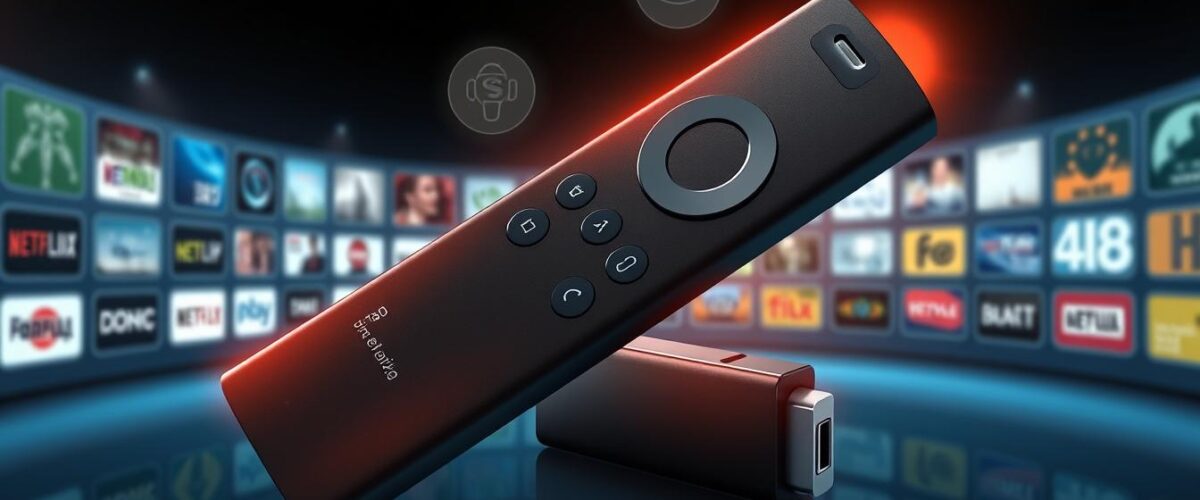
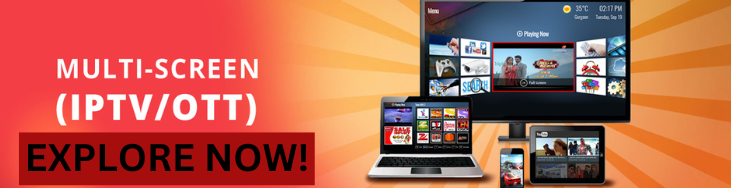
Ever wondered why some streaming is way better than others? With IPTV on your Amazon Firestick, you can enjoy top-notch entertainment at home. This guide will show you how to install IPTV Smarters, a free player that links you to many channels and services.
IPTV Smarters doesn’t offer content itself. It needs login details from other IPTV providers to work. Adding a VPN makes your streaming better and keeps your online activities private. Our Firestick tutorial will help you see how this app can change your TV watching at home.
Key Takeaways
- IPTV Smarters is a free player requiring IPTV service logins for content access.
- The app supports M3U playlists and Xtream Codes API for multiple subscriptions.
- Using a VPN is highly recommended for security while streaming.
- Instructions are provided for sideloading the app using the Downloader tool.
- IPTV Smarters Pro offers enhanced features and superior performance.
- The app interface is user-friendly, making navigation a breeze.
- It’s essential to have an active IPTV subscription for content access.
Introduction to IPTV Smarters and Firestick
IPTV Smarters has become very popular as an IPTV player. It lets users stream content from different IPTV subscriptions easily. It works well with the Firestick, a versatile and compact device.
This combo offers a great streaming experience. It gives access to thousands of channels and a huge library of on-demand content.
With IPTV Smarters, users can customize their viewing experience. They can use an electronic program guide (EPG) to navigate TV programs easily. The app supports multiple video formats, including 4K, for high-quality streaming.
It works with many devices, like Fire TV, smart TVs, and iOS devices. This makes it very accessible.
To use IPTV Smarters, you need a subscription from a reputable IPTV service provider. This is key to getting reliable content. The app comes in two versions: a basic one and IPTV Smarters Pro, which has more features.
To learn more about the options, including a subscription to high-quality content, visit Streamutopia.
Setting up IPTV Smarters on Firestick is easy and straightforward. It has a user-friendly interface. With a stable internet connection and login details, users can quickly set it up and enjoy streaming.

What is IPTV Smarters?
IPTV Smarters is a big step forward in watching digital TV. It lets users connect to many channels from their IPTV providers. It’s different from old TV ways because it offers a custom viewing experience that fits today’s entertainment.
Overview of IPTV Smarters Pro Features
IPTV Smarters Pro has many great features. Here are some:
- Multi-account support: Users can handle many subscriptions at once.
- Customizable EPG: Users can set up their Electronic Program Guide for better navigation.
- Parental control options: Helps families control what kids can watch.
- Compatibility: Works with many formats, including M3U playlists and API for easy integration.
This app works on many devices, like Android phones, iOS devices, Firestick, Android TV, Windows PC, and macOS. You can find step-by-step guides to set it up on different platforms.
Understanding IPTV Mechanism
IPTV uses the Internet to send TV content, unlike old TV ways. It makes watching TV more flexible and lets you watch what you want when you want. With IPTV Smarters Pro, you get better streaming quality and a user-friendly interface.
Why Use IPTV Smarters on Firestick?
Using IPTV Smarters on Firestick brings many benefits that make watching TV better. Many families in the US, Canada, and the UK now use IPTV. They like the lower cost, more channels, and better streaming quality.
IPTV Smarters is easy to use. It lets you watch live TV and lots of on-demand shows easily.
Benefits of IPTV Smarters
The Benefits of IPTV Smarters include many features for different tastes. It has over 24,000 live TV channels, including favorites from the UK and US. MyPrivate IPTV UK adds 140,000 on-demand movies and TV shows, offering more choices.
Choosing IPTV can save up to 60% compared to cable. You only need 10 Mbps internet for HD and 4K streaming. This is a big improvement in video quality.
With instant activation, you can start using the service right away.
Comparing IPTV Smarters with Other IPTV Players
In IPTV comparisons, IPTV Smarters stands out. Other players might have fewer channels or hidden fees. MyPrivate IPTV UK, for example, includes UFC and WWE events without extra cost.
Its customer support is available 24/7. You can also manage multiple subscriptions with IPTV Smarters. This makes it popular among Fire Stick users looking to watch more.
Each service offers different channels and features. It’s important to choose the one that fits your viewing habits best.
Prerequisites for Installation
Before you start installing IPTV Smarters on your Firestick, getting an IPTV subscription is key. Choose a reliable service like StreamUtopia for a wide range of channels and smooth streaming. They offer flexible plans to fit your viewing habits, making them a favorite among users.
IPTV Subscription Details
For the best experience with IPTV Smarters, you need an active IPTV subscription. It should support M3U or Xtream. This ensures you get the content you want on various devices.
Understanding the Need for a VPN
Using a VPN is vital for keeping your online identity safe. It’s especially important for streaming. A VPN encrypts your data, helping you bypass geo-restrictions and access content not available in your area. It’s a must for uninterrupted streaming.
Preparation for Installation
Before you start installing IPTV Smarters on your Firestick, get ready. You need to check if your Firestick works with IPTV Smarters and make sure your internet is stable. Both steps are important for a great streaming experience.
Checking Firestick Compatibility
First, check if your Firestick works with IPTV Smarters. The newest Firesticks stream best. Older ones might not work as well. So, checking compatibility helps avoid problems.
Ensuring a Stable Internet Connection
Having a stable internet is key for streaming without breaks. You need fast internet and a steady connection. If your internet goes up and down, your streams might stop or slow down. So, get a reliable internet connection for the best IPTV Smarters experience.
A Step-by-Step Guide to Installing IPTV Smarters on Firestick
Before you start, make sure you’re ready to install IPTV on your Amazon Firestick. Follow these steps for a smooth and successful setup of IPTV Smarters.
Accessing the Firestick Settings
First, turn on your Firestick and go to the home screen. Then, choose “Settings” from the top-right corner. Look for “My Fire TV” and click it. This is where you’ll manage most of your settings for installation.
Enabling Apps from Unknown Sources
In “My Fire TV,” find “Developer Options.” If you can’t see it, go to “About” and click on “Fire TV Stick” seven times. This unlocks Developer Options. Then, turn on “Apps from Unknown Sources.” This is key for installing IPTV on your Firestick, as it lets you install apps not in the Amazon Appstore.
Installing the Downloader App
To start using IPTV Smarters on your Firestick, you first need to install the Downloader app. This app is key for getting apps not found on the Amazon App Store. We’ll show you how to find and install this important tool.
Searching for Downloader on Firestick
Turn on your Firestick and go to the search function on the home screen. Type “Downloader” using the onscreen keyboard. Downloader is a top Firestick tool for downloading apps from the internet.
Installing the App
After finding Downloader in search results, click on it. You’ll get to its download page. Choose to download and install the app. This quick process usually takes a few minutes.
With Downloader app installation done, you’re ready to set up IPTV. This makes your viewing experience smooth and enjoyable.
Downloading IPTV Smarters APK
First, install the Downloader app on your Firestick. Then, download the IPTV Smarters APK file. This file is key for accessing many IPTV services. Make sure to enter the right URL for a smooth download.
Entering the URL for IPTV Smarters
Start by opening the Downloader app. Type the correct link for the IPTV Smarters APK in the URL field. Click “Download” to begin the download. Always use a trusted URL to avoid security issues.
Understanding APK Downloads
APK downloads are for getting Android Package Kits. These are used to install apps on Android devices, like Firestick. When downloading the IPTV Smarters APK, choose a reliable source. This ensures a safe streaming experience.
Installing IPTV Smarters on Firestick
After downloading the APK file, it’s time to install IPTV Smarters on Firestick. This involves running the APK and following the installation steps. Make sure to set it up smoothly. Here’s how to install Firestick Smarters correctly.
Steps for Installation Process
To start installing IPTV Smarters, follow these steps:
- Open the Downloader app on your Firestick.
- Enter the IPTV Smarters APK URL in the URL box and click Download.
- When the APK file downloads, a prompt will show up. Choose Install.
- Wait a few moments for the installation to complete.
- After it’s installed, click Open to start the app or Done to open it later.
When you open IPTV Smarters, you’ll need to enter your IPTV service provider details. This app connects you to your paid IPTV subscriptions. It makes watching content easy through a user-friendly interface.
Before you start, think about using a reliable VPN for security and privacy. It keeps your online activities safe while using IPTV. Make sure to install it right to easily get channels from your IPTV provider.
Launching IPTV Smarters and Initial Setup
After installing the app, it’s time to launch IPTV Smarters. This involves creating a shortcut for easy access and agreeing to the terms of use. These steps are key to a smooth start and ensure users can enjoy the app’s full features.
Creating a Shortcut for IPTV Smarters
Making a shortcut for IPTV Smarters on your Firestick is easy. Just follow these steps:
- Navigate to the Apps section on your Firestick home screen.
- Find IPTV Smarters in the list of installed apps.
- Press the Menu button on your remote control.
- Select “Move” to place the app on your home screen for quick access.
Accepting Terms of Use
When you first open the app, you’ll see a prompt to accept the terms of use. Make sure to read them carefully before agreeing.
- Click on “Agree” to accept the terms.
- This allows IPTV Smarters to work properly, giving you a great user experience.
These initial steps are crucial to get the app ready for use. After creating the shortcut and agreeing to the terms, you can easily explore the app and enjoy your IPTV services.
Setting Up IPTV Credentials
To get the most out of IPTV Smarters, setting up your IPTV credentials is key. Doing it right lets you easily watch your favorite shows. Here, we’ll guide you on how to load M3U playlists and use Xtream Codes. These steps help manage your IPTV subscriptions well.
Loading M3U Playlist or Xtream Codes
Getting your M3U playlist or Xtream Codes from your IPTV provider is crucial. It lets you access channels and content. Here’s how to start:
- Open IPTV Smarters on your device.
- Select ‘Live TV’ or the right section for content.
- Choose to load M3U playlist or enter Xtream Codes.
- Enter your M3U playlist URL or Xtream Codes from your IPTV service.
- Confirm and wait for the app to load your channels.
Managing IPTV Subscriptions
Managing your IPTV subscriptions in IPTV Smarters makes switching easy. You can have many subscriptions active at once. Here’s how to manage your settings:
- Go to the main menu of IPTV Smarters.
- Select ‘Settings’ for subscription management.
- Add or remove subscriptions by entering your credentials.
- Save changes to update all settings. Good subscription management boosts your viewing experience and gives you more content.
Troubleshooting Common Installation Issues
Installing IPTV Smarters on Firestick can sometimes be tricky. Knowing how to fix common problems can make streaming better. This part talks about how to solve issues like buffering and app crashes for smooth viewing.
Resolving Buffering Problems
Buffering can ruin your streaming fun. Here are ways to fix IPTV buffering issues:
- Check Your Internet Speed: Make sure your internet speed is good enough. For HD, you need at least 10 Mbps. For 4K, aim for 25 Mbps or more.
- Reduce Network Traffic: Fewer devices on your network means more bandwidth for you. This can cut down on buffering.
- Restart Your Router: Restarting your router can fix connectivity problems and improve streaming.
- Switch to Wired Connection: If you can, use an Ethernet cable to connect your Firestick to your router. This gives a more stable connection than Wi-Fi.
App Crash Solutions
If IPTV Smarters crashes, here are some fixes:
- Clear App Cache: Go to Firestick settings, then Applications, find IPTV Smarters, and clear cache. This removes temporary files that might crash the app.
- Update the App: Make sure you’re using the latest IPTV Smarters version. Check for updates in the app’s settings or reinstall it if needed.
- Check Device Storage: Low storage can crash apps. Clearing space by deleting unused apps or files can help.
- Reinstall the App: If crashes keep happening, try uninstalling and then reinstalling IPTV Smarters. This might fix the problem.
| Issue | Possible Cause | Solved By |
|---|---|---|
| Buffering | Slow internet connection | Check speed and reduce devices |
| Buffering | Network congestion | Limit network traffic |
| App crashes | Full cache | Clear app cache |
| App crashes | Outdated app version | Update or reinstall the app |
Enhancing Your IPTV Streaming Experience
To make your IPTV streaming better, try a few key steps. First, use a VPN for better security. Also, clear cache often to keep your app running smoothly.
Using a VPN for Better Security
A VPN, like GnuVPN, makes your streaming safer. It costs just $2.30/month, with a big discount. It keeps your data safe from ISPs and online snoops.
It’s smart to use a private email for IPTV sign-ups. This keeps your personal info safe.
- Protects your streaming data from prying eyes.
- Masks your IP address, safeguarding your identity.
- Compatible with various devices, including Firestick, Android TV Boxes, and more.
Clearing Cache for Improved Performance
Clearing cache often makes your IPTV setup better. It makes streaming smoother on your devices. This simple step can fix many problems and make watching easier.
- Go to Settings on your Firestick.
- Select Applications.
- Choose Manage Installed Applications.
- Find IPTV Smarters and click on it.
- Select Clear Cache.
This keeps your app running well. It stops errors that ruin your fun watching channels.
| Action | Description |
|---|---|
| Use VPN | Protects your online activity and personal information. |
| Clear Cache | Improves app speed and performance. |
Alternative IPTV Applications for Firestick
Looking into other IPTV apps can show many options that match or beat IPTV Smarters. Each app has its own special features. This helps users find the best fit for their viewing habits and needs.
Comparing IPTV Smarters with Other IPTV Players
IPTV Smarters is a big name in IPTV services, but there are many others. Here’s a quick look at some of the top competitors:
| IPTV Application | Live Channels | Special Features |
|---|---|---|
| Iconic Streams | 9,000+ | 110 servers for robust streaming |
| Yeah! IPTV | 6,000+ | Exclusive sports channels |
| Apollo Group TV | 1,000+ | 10-day free trial available |
| SSTV IPTV | 8,000+ | Shows and movies included |
| Hypersonic TV | 7,000+ | HD and full-HD content support |
| Sling TV | 50+ | Sling Blue and Sling Orange plans |
| Philo | 60+ | Unlimited DVR, streams on three devices |
| YouTube TV | 85+ | Unlimited cloud DVR storage |
Exploring Different IPTV Services
It’s important to know what different IPTV services offer. Services like Philo and YouTube TV have cool features like unlimited DVR and lots of channels. New users can try them out with special trials or features.
When choosing, think about performance, channel variety, and special features. This helps find the perfect service for your needs.
Legal Considerations for Using IPTV Smarters
It’s important to know the laws about IPTV services. The rules change from country to country. Users need to understand these to stream safely.
Choosing legal sources is key. This ensures viewers can enjoy their content without worries.
Understanding IPTV Legality
The law mainly looks at the content being streamed. Legal IPTV services have the right to show certain channels. But, others might show content they don’t own.
Looking at the provider’s agreements helps. This shows if they follow the law. Choosing well-known providers lowers the risk of legal trouble.
Choosing a Reputable IPTV Provider
Choosing a good IPTV provider is crucial. A good provider offers:
- Licensed channels and content
- Clear service agreements outlining content rights
- Reliable customer support
- Positive user reviews and feedback
Using a reputable provider keeps you safe. It also gives you access to lots of content. Do your homework on the provider’s history and customer service.
Using a VPN with IPTV adds extra protection. It keeps your viewing private and safe from hackers.
Conclusion
This guide has shown how to set up IPTV Smarters on Firestick. It’s easy for everyone to follow. Now, people can get lots of IPTV services right at home.
With IPTV Smarters Pro, you can watch live TV and on-demand shows. You also get catch-up streaming and watching on multiple screens.
The interface is easy to use and works with many IPTV services. This makes streaming better. Plus, it’s safe and optimized for Firestick.
Users can find their favorite shows or use external players. IPTV Smarters Pro is a great choice for all kinds of viewers.
Using IPTV Smarters on Firestick makes watching TV better at home. It’s flexible and fun. This guide shows how to make your viewing experience better.
FAQ
What is IPTV Smarters?
How do I install IPTV Smarters on Firestick?
Do I need a VPN for using IPTV Smarters?
Can I use IPTV Smarters with multiple subscriptions?
What should I do if I experience buffering during streaming?
Is IPTV Smarters legal to use?
What are some alternative IPTV applications for Firestick?